
You know the moment.
Everything is working perfectly… until you walk down the hallway. Or step onto the patio. Or head upstairs. Suddenly the video call freezes, the music drops out, and your phone quietly switches back to cellular.
It’s one of the most common things we hear when we walk into a home for the first time:
“Our Wi-Fi works great… except over here.”
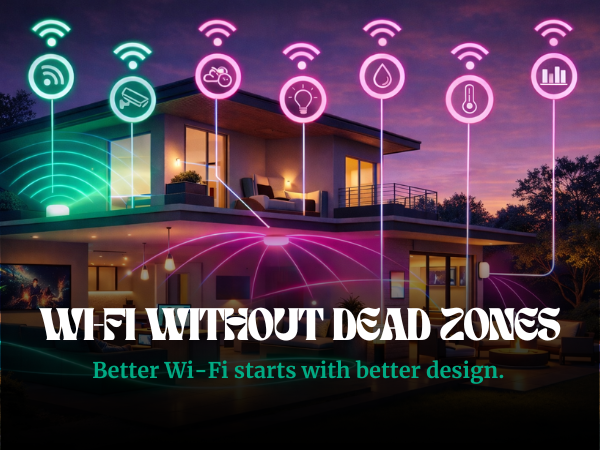
The reality is that modern homes demand far more from a network than they did even a few years ago. Streaming, security cameras, smart lighting, TVs, thermostats, speakers, laptops, tablets, phones… everything now lives on what is essentially a band of networks that all need to communicate with each other.
When that foundation isn’t built properly, the cracks show up pretty quickly.
Let’s talk about why that happens and what actually fixes it.
There are a few common reasons Wi-Fi struggles in larger homes.
Distance is the most obvious one. The farther you move from the router, the weaker the signal becomes. But distance is only part of the equation.
Building materials also play a big role. Brick, stone, metal framing, and even certain types of insulation can interfere with wireless signals. Floor plans matter too. Long hallways, multiple levels, and outdoor living spaces can all create areas where the signal fades.
Then there’s the number of devices competing for bandwidth. Between TVs, phones, tablets, cameras, speakers, and smart home systems, modern homes can easily have dozens of devices connected at the same time.
All of that traffic has to move through the network efficiently, and when the system wasn’t designed for that level of demand, performance starts to drop.
Most internet setups are built around a single wireless router.
That might work in a small apartment, but once you introduce multiple floors, thick walls, outdoor spaces, or long floor plans, the signal starts to weaken. Add in dozens of connected devices and the router begins to struggle to keep up.
Think of it like trying to run an entire household’s worth of conversations through one person standing in the middle of the room.
It works for a while. Then everyone starts talking over each other.
That’s why the solution isn’t simply “stronger Wi-Fi.” The solution is better network design.
One of the most effective ways to improve coverage across a large home is mesh wireless.
Instead of relying on one router, a mesh system places multiple access points around the home. These points communicate with each other, creating a seamless network blanket.
As you move through the house, your phone or laptop automatically connects to the strongest point without you even noticing.
No switching networks. No dead zones. Just one system working together to keep everything connected.
At MediaHead, we typically design networks using two platforms depending on the home and how it will be used: Araknis Networks and eero.
Both solve the same core problem, but they do it in slightly different ways.
Araknis Networks is designed specifically for professionally installed systems. It’s incredibly reliable and gives us a high level of control over how the network behaves.
That matters in homes where there are large floor plans, dedicated media rooms, extensive smart home systems, security cameras, and sometimes dozens or even hundreds of connected devices.
Araknis access points are typically hardwired throughout the home, creating a strong backbone that distributes Wi-Fi exactly where it’s needed.
When everything is dialed in, the experience feels invisible. Which is exactly what you want.
eero takes a slightly different approach.
Their system is built around mesh wireless, and it’s incredibly good at adapting to how people actually live in their homes. It automatically optimizes the network and balances traffic across devices.
For many homes, especially where flexibility and simplicity matter, eero is a fantastic solution.
We’ve also had great success using eero PoE systems in larger properties where access points can be strategically placed and powered directly through the network.
The result is a system that feels fast, stable, and easy to manage.
Lake houses and properties outside major metro areas introduce a different challenge.
Sometimes the issue isn’t the internal network, but the internet service itself.
That’s where Starlink has become an incredibly useful option.
For homes in rural areas, Starlink provides high-speed satellite internet that can serve as the primary connection or a backup to traditional providers.
When combined with a properly designed internal network, it can make a lake house feel just as connected as a home in the city. Streaming, remote work, security systems, and smart home automation all function the way they should.
There are plenty of situations where a professionally designed network makes a big difference.
Large homes are the most obvious example, but they’re not the only ones.
Homes with extensive outdoor living spaces, guest houses, detached garages, or home offices often need a more thoughtful approach to connectivity. The same is true for properties with smart lighting, whole-home audio, security cameras, and other integrated technology.
In these environments, the network isn’t just supporting phones and laptops. It’s supporting the entire home.
That’s where systems like Araknis Networks and eero really shine. When paired with the right infrastructure behind the scenes, they can create the kind of reliable coverage that makes everything feel effortless.
The best network is the one you never notice. No buffering. No dropped calls. No wandering around the house trying to find a signal. Just fast, consistent connectivity everywhere you expect it, whether you're streaming a movie in the media room, taking a video call in the office, or listening to music on the patio.
When a network is designed properly, the technology fades into the background and the home simply works the way it should.
And if your Wi-Fi is struggling, there is usually a clear reason behind it. Sometimes it comes down to better placement of access points. Sometimes the solution is moving to a mesh wireless system that spreads coverage across the home. Other times it means strengthening the backbone of the network itself so everything has a more reliable foundation. More often than not, it is a combination of those things working together.
At MediaHead, designing networks that support everything else in the home is one of the most important parts of what we do. Because when the network is solid, everything built on top of it works better.
MediaHead designs and installs high-performance home networks, smart home systems, and home theaters throughout Dallas and North Texas.


